Domain Authenticator.
Know if a site is trustworthy before you interact with it.
Score any domain, right now
This is the real scoring engine: heuristics, Llama 3.1 8B on Cloudflare Workers AI, and community votes, answering from Cloudflare’s edge. Type a domain or pick an example.
The average phishing site is live for 21 hours before any blocklist catches it.
Phishing works because defenses lag
Blocklists are reactive
Safe Browsing only catches reported domains, hours after they’re live.
Typosquatting costs $1
Registering g00gle.xyz takes seconds. Most users won’t notice.
Network tools are blind to the browser
A page that loads clean HTML and renders a phishing form via JavaScript is invisible to proxies.
Nobody scores domains at navigation time. Network tools see HTTP payloads, endpoint agents see OS state, and neither sees inside a browser tab. Domain Authenticator analyzes domains at the browser layer and surfaces risk before you interact.
Who it’s for
Enterprise employee
Handles sensitive data daily and gets phishing emails mimicking internal tools. Needs protection that requires no behavior change.
IT / Security admin
Owns the org’s security posture. Wants a browser-layer signal to act on (warn or isolate) within the existing policy engine.
Developer / power user
Clicks dozens of unfamiliar links daily. Wants a fast check on links from Slack, GitHub, or email before navigating.
What it does
- Auto-analyzes on every navigation: a color-coded trust score badge on every tab, no manual action needed.
- Blocks dangerous sites with a full-screen overlay showing the AI’s reasoning, with a “proceed anyway” escape hatch.
- Warns on suspicious sites with an amber banner at the top of the page that auto-dismisses after 10 seconds.
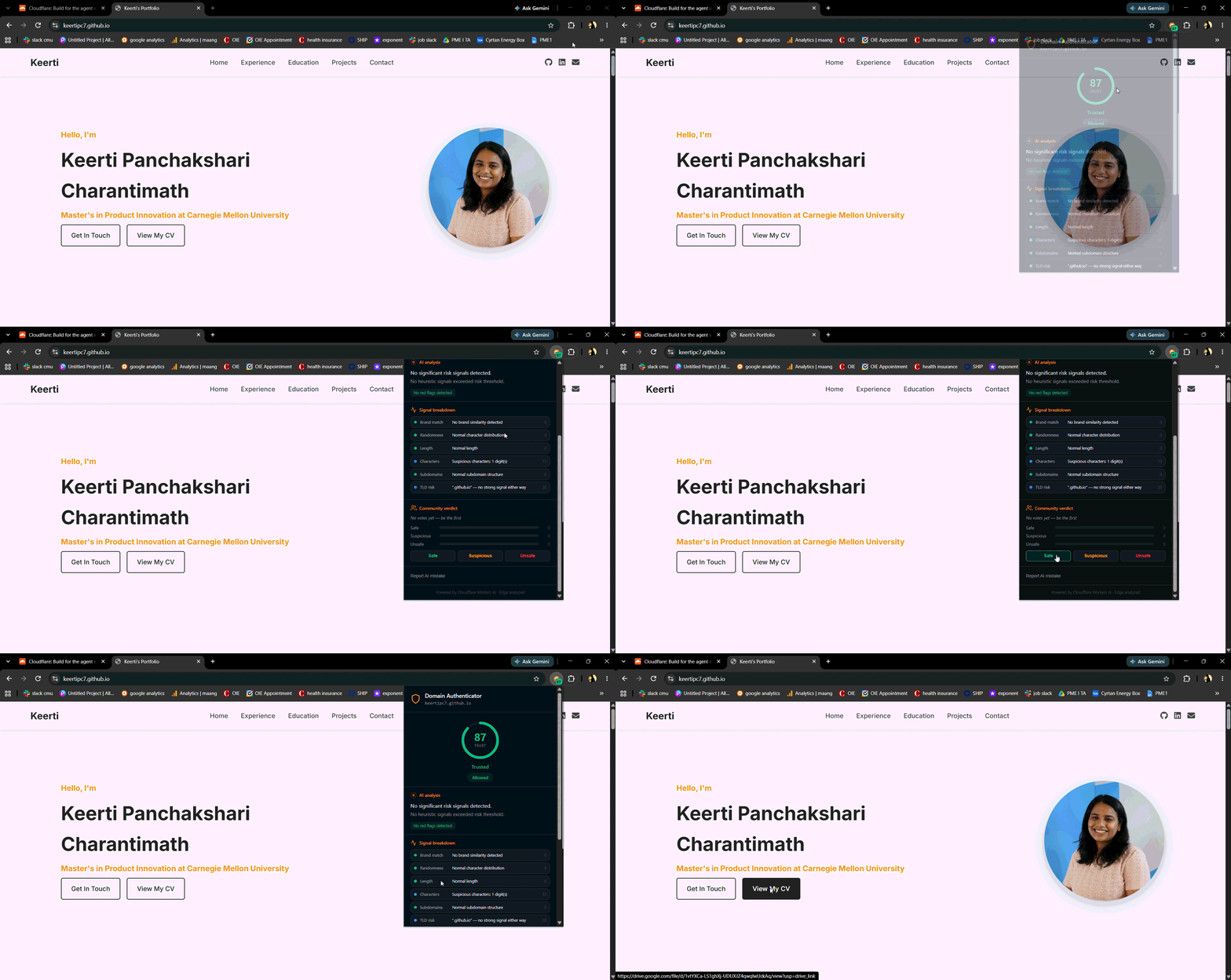
- A detailed popup: trust gauge, per-signal breakdown, and a plain-English AI explanation.
- Right-click any link to analyze it before you click.
- Community voting (Safe / Suspicious / Unsafe) and a way to report AI mistakes, both feeding back into scoring.
How the score is calculated
Extension
The user navigates; the domain is captured from the active tab and sent to POST /analyze.
Cloudflare Worker
Heuristics (brand, TLD, entropy), then Workers AI with Llama 3.1 8B, then weighted community votes.
Workers KV
Cached verdicts return instantly; new domains are analyzed and stored for 6 hours.
Trust score
0 to 100. 75–100 trusted, 42–57 caution, 0–21 dangerous.
Scoring model weights
Brand similarity carries the most weight. A combo override short-circuits the average: digit substitution of a known brand on a high-risk TLD forces a dangerous verdict immediately.
AI starts it. Humans refine it.
- Weighted votes: new users count 1x, 10+ reviews 1.5x, 50+ reviews 2x (capped).
- The community signal needs 2+ votes before it activates.
- A 60%+ unsafe majority shifts scoring toward higher risk; a 60%+ safe majority with 50%+ confidence shifts it toward lower risk.
- Voting busts the cache, so the next visitor gets a fresh analysis that reflects the new community data.
Three ways to use it
Automatic, on every site
The extension checks every domain you visit. A color-coded trust badge appears on the tab, suspicious sites get a warning banner, and dangerous ones are blocked before you interact.
Check a link before you click
Right-click any link and choose to analyze it. You get the trust score without ever navigating to the page.
The full breakdown
Click the shield icon to open the pop-up: trust gauge, per-signal scores, a plain-English AI explanation, and buttons to vote or report a mistake.
Install the extension
Clone the repo
git clone https://github.com/keertipc7/domain-authenticator.git
Open Chrome extensions
Go to chrome://extensions in your browser.
Enable Developer mode
Toggle it on in the top right corner.
Load unpacked
Click Load unpacked and select the extension/ folder. The backend is already deployed, so it works right away.
Where this can go
Human verification for voting
Proof-of-work before a vote counts, to prevent automated vote stuffing.
Domain age signal
Newly registered domains (under 30 days) are the strongest phishing indicator. Needs WHOIS integration.
Credential form detection
Scan the rendered page for login forms on untrusted domains, catching client-side phishing invisible to the network.
Policy engine integration
Expose the trust score as a policy condition: “if score < 40, isolate in remote browser.”
Voter reputation
Track voting accuracy over time. Accurate voters gain weight; outliers lose it.
Auto-stop credential entry
Disable input fields on dangerous sites, actively preventing password entry rather than just raising awareness.